Your clothes, in motion. On any model.
AbrimaAI makes product videos from one garment photo: catwalks, 360° spins, fabric-in-motion loops and reveals on an AI model, without a shoot, a studio or an editor, from 24 video credits a video. Made for product pages, Reels, TikTok and ads.
Free credits to start · From 24 video credits per video · Vertical 9:16 or horizontal 16:9
Real AbrimaAI output. Models are AI-generated.
How it works
From a hanger photo to a runway video
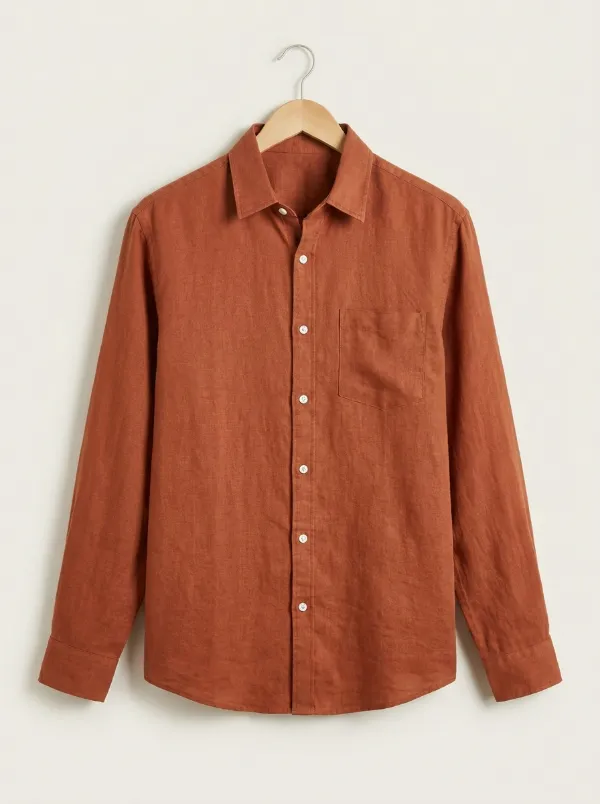
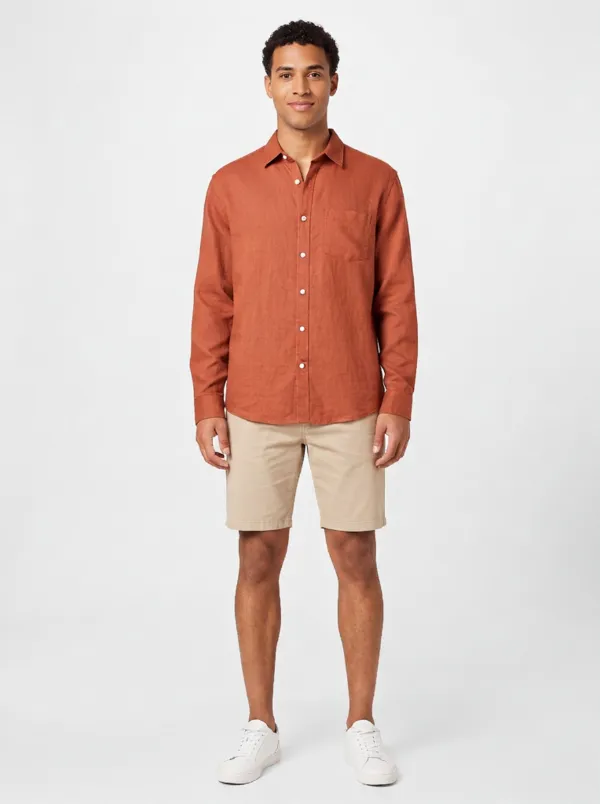
Put your garment on a model with Virtual Try-On, then animate the result. Every video starts from your real try-on image, so the product shoppers see in motion is the one they receive.
For product pages
Show how it moves, from every side
Shoppers can't touch the fabric or turn the garment around. A few seconds of motion answers the questions a still photo can't: how it drapes, how it falls, what the back looks like.
For ads and social
Scroll-stopping formats, made in minutes
The hooks that work on TikTok and Reels: the garment coming to life, the fit-check spin, every color in one clip. Vertical 9:16 by default, ready to post.
Built for selling
Motion that stays true to your product
Fashion video only helps if the garment in the video is the garment in the box. These are the details that keep it that way.
Starts from your real image
Every motion begins on your try-on image, with prompts that tell the model to keep the color, print, buttons, fit and length exactly as shown.
Ends on your real back view
Turn and 360° spin finish on the back-view photo of the same look, so the back of the garment isn't guessed.
Full frame, 9:16 or 16:9
Your photo is fitted to the video frame before it's animated, so vertical videos fill the screen with no black bars.
Consistent across a collection
Same model, same motion, same settings for every product, one video per image in a single batch.
A video for every product, in one batch
With Bulk Videos, pick your try-on images and get one video per image with the same motion, so a whole drop launches with matching catwalk or fabric-motion videos.
Straight to your Shopify product
Download the MP4 or push it to Shopify next to your try-on photos, so the product page gets photos and video from the same model in one go.
Four steps, no shoot
Upload your garment
A flat lay, hanger or mannequin photo is enough.
Put it on a model
Pick a model and pose from the library, or your own model.
Click Animate
Choose a motion, quality, length and format, and see the cost first.
Publish
Download the MP4 or push it to your Shopify product.
Pay per video, see the cost first
Video credits, silent videos. Standard quality, 1080p, longer videos and ambient sound cost more, always shown before you generate. Credits come with every plan and Top-Ups. See plans and pricing.
Frequently asked questions
What do I need to make a try-on video?
A try-on image: your garment on a model, made with Virtual Try-On for Apparel from one garment photo. Click Animate on it, pick a motion and generate. Turn and 360° spin also use the back view of the same look, and a hanger reveal uses your original garment photo.
Does the garment stay accurate in motion?
Every motion starts from your real try-on image, and Turn and 360° spin also end on your real back view, so the garment is anchored to real frames. Motion is still generated by AI, so watch each video before you publish it; small details can occasionally shift.
Which motions are there?
For product pages: Catwalk, Turn, 360° spin, Fabric motion (a seamless loop) and Detail push-in. For ads and social: Hanger reveal, Outfit change and Color carousel.
What formats do the videos come in?
Vertical 9:16 for Reels, TikTok and Shorts, or horizontal 16:9, at 720p or 1080p, 4 to 8 seconds (a 360° spin is two halves stitched into one video). MP4, silent by default, since product videos usually autoplay muted; you can add ambient sound.
Can I animate a whole collection?
Yes. Bulk Videos takes your try-on images and makes one video per image with the same motion (Catwalk, Fabric motion or Detail push-in), so every product page gets a matching video.
Can I put the videos on my Shopify store?
Yes. Download the MP4, or push it straight to your Shopify product from AbrimaAI, next to your try-on photos.
What does it cost?
Try-on videos use video credits, priced by quality, length and resolution: from 24 credits for a 4-second Light video. A 6-second Fast video at 720p is 96 credits, a 360° spin (two 6-second halves) is 194, and a color carousel is 2. You see the exact cost before you generate.
Can I use the videos commercially?
Yes. The videos you generate are yours to use on your store, marketplaces, ads and social media. The library models are AI-generated people, not real individuals.
Want the details? Read our guide to AI fashion video for clothing stores.
Put your next drop in motion today
From garment photo to catwalk video in a few minutes, no camera needed.
Make a try-on video free